



Skip to content
NEW · 2026 AI Daily Recaps, QuickBooks sync & multi-currency billing are now live. Start your free 14-day trial →
📞 Sales & support: 1-855-400-9996 KiddieTrac 📄 Brochure (PDF)
NEW AI daily recaps, QuickBooks sync & multi-currency billing

Childcare admin,
handled. Billing.

KiddieTrac runs billing, attendance, parent communication and CWELCC compliance in one beautiful platform — so your team spends the day with children, not spreadsheets.

No credit card requiredFree data migrationCancel anytime
2,400+
Children tracked
150+
Agencies
98%
Satisfaction
Why it matters

Less paperwork.
More of this.

Every minute KiddieTrac takes off the admin pile goes back where it belongs — building, reading, painting and playing outside.

Children looking at a picture bookStory time
Small hands paintingMessy art
Two children walking outside hand in handOutdoor play
Colourful sensory play materialsSensory play
iPhone & iPadAndroid

Works on iPhone, iPad and Android phones and tablets — in the browser, or added to your home screen like an app.

Built on payment, messaging and accounting platforms you already trust

✨ A day with KiddieTrac

From the first check-in to the last invoice

Watch one ordinary day run itself. Every moment your team captures becomes a record, a report and a happier parent — automatically.

🔒 Secure check-in

QR check-in that knows who is at the door

No sign-in sheet, no shared PIN. Parents scan your centre's code with their own KiddieTrac app, and your educator sees exactly who is dropping off or picking up, with a face, a name and a relationship.

🔐Signed, daily codes

Each centre's code is cryptographically signed and expires at midnight, so yesterday's code or a forged one won't work, and a code alone does nothing without a parent's own account.

🪪A real person, not a PIN

Scanning needs the parent's own signed-in account, and only their own enrolled children at that centre can be checked in.

👀Verified at the door

Photo (or initials), full name and relationship on the parent's screen, so your educator confirms the right adult at a glance.

🧾A record for every scan

Time-stamped with who did it, straight into attendance and your reports, with instant alerts to family and staff.

Demo only: the code shown here opens our website. Real check-in codes are generated for each centre and change daily.

One platform

Everything childcare needs,
beautifully connected

One login. One subscription. No add-on modules and no hidden upgrades.

📊

Live operations dashboard

Attendance, occupancy, revenue and compliance — live, on one screen. Spot what needs attention before it becomes a problem.

Live ratiosLate-pickup alertsWaitlist
💳

Automated billing

Invoices, subsidy deductions and every payment method — CAD or USD, reconciled for you.

Emma W. $240 ✓
Liam K. $240 ✓
Sofia R. $210 due
🍁

CWELCC on autopilot

Per-child subsidy math and submission-ready reports — zero manual entry.

🏷️

Your brand, your app

A fully white-labelled parent app, custom domain and branded reports — included on every plan and live in as little as 14 days. Try it:

🤝

Real human support

A dedicated onboarding specialist and a real support team who know Canadian childcare — replying within one business day.

Canada Canadian team⏱️ < 4 hr response🚚 Free migration
🔗

Plays nicely with your stack

Export, sync and reconcile with the tools your team already uses.

QuickBooksMicrosoft 365Google WorkspaceTwilioTelnyx📄 CSV · Excel · PDF
🚀 Just shipped

New in KiddieTrac

We ship improvements every week. Here's what landed recently.

📞Sept 2026

Voice announcement calls

Send an urgent announcement as an automated phone call (snow closures, early pickups, emergencies) alongside SMS broadcasts, with automatic carrier failover.

TwilioTelnyx
💳Sept 2026

Card payments with Helcim

A hosted, secure checkout: card numbers never touch our servers. Families pay by card, bank EFT or Interac e-Transfer, all reconciled against the invoice.

HelcimStripeZūm Rails
🗓️Sept 2026

Payment schedules

Instalment plans that issue each invoice a few days before it's due, plus optional per-agency card and EFT service fees applied at payment time.

✅Sept 2026

Text-alert consent, on record

Every opt-in and opt-out is confirmed by email and text and filed in the parent's documents. STOP works instantly, on every account tied to that phone.

✉️Aug 2026

Email from your own domain

Invoices, reports and notices go out from your agency's own Microsoft 365 or Google Workspace mailbox, so your name is in every inbox, not ours.

Microsoft 365Google WorkspaceOutlookGmail
🛡️Aug–Sept 2026

Security you can show an auditor

Two-factor sign-in, real-time security alerts, a full audit trail, configurable data retention and verified nightly backups.

Integrations

Connected to the tools you already use

Your agency connects its own accounts, so money lands in your account and messages go out under your name.

💳 Payments

Zūm RailsStripeHelcimInterac e-Transfer VisaMastercardAmexApple PayGoogle Pay

💬 Messaging & email

Twilio SMSTelnyxSMS & voiceMicrosoft 365OutlookGoogle WorkspaceGmail

📒 Accounting & data

QuickBooks📄 CSV & Excel📊 PDF reports🍁 CWELCC submissions
Who it's for

Built for every kind of childcare

From a single home daycare to a multi-site agency — KiddieTrac scales to fit how you run.

See what KiddieTrac saves you

Drag the sliders to match your program — watch the hours and dollars add up.

10
hours saved every week
$14,560
saved per year
Estimated from agencies automating billing, attendance & CWELCC reporting with KiddieTrac.
Why switch

KiddieTrac vs. legacy childcare software

See why agencies move to KiddieTrac — and don't look back.

FeatureKiddieTracLegacy tools
Native CWELCC & subsidy automation✓✕
True CAD + USD dual-currency billing✓✕
White-label parent app on every plan✓✕
QR check-in & live dashboard✓~
Canadian human support✓✕
Free data migration & onboarding✓$$
All-in-one — no add-on modules✓✕
Loved by educators

Don't just take our word for it

From childcare professionals across Ontario.

★★★★★

"Sunday-night admin is gone. KiddieTrac gave me my weekends back — invoices and attendance just happen."

SM
Sandra M.Home daycare owner · Barrie, ON
★★★★★

"We unified three centres onto one platform. The consolidated billing alone recovered thousands we were missing."

TL
Theresa L.Operations Manager · Toronto, ON
★★★★★

"Our families think the app is our own technology. White label set us apart from every competitor in our city."

RK
Rajan K.Director · Brampton, ON
★★★★★

"Sunday-night admin is gone. KiddieTrac gave me my weekends back — invoices and attendance just happen."

SM
Sandra M.Home daycare owner · Barrie, ON
★★★★★

"We unified three centres onto one platform. The consolidated billing alone recovered thousands we were missing."

TL
Theresa L.Operations Manager · Toronto, ON
★★★★★

"Our families think the app is our own technology. White label set us apart from every competitor in our city."

RK
Rajan K.Director · Brampton, ON
★★★★★

"CWELCC reporting used to take me a full day each month. Now it's a couple of clicks and it's submission-ready."

AP
Amara P.Centre Director · Ottawa, ON
★★★★★

"The parent app keeps families so connected. Daily photos and reports cut our pickup-time questions in half."

JD
Jenna D.Lead Educator · Mississauga, ON
★★★★★

"Switching was painless — they migrated everything for free and a real person walked us through it all."

MB
Marcus B.Owner · London, ON
★★★★★

"CWELCC reporting used to take me a full day each month. Now it's a couple of clicks and it's submission-ready."

AP
Amara P.Centre Director · Ottawa, ON
★★★★★

"The parent app keeps families so connected. Daily photos and reports cut our pickup-time questions in half."

JD
Jenna D.Lead Educator · Mississauga, ON
★★★★★

"Switching was painless — they migrated everything for free and a real person walked us through it all."

MB
Marcus B.Owner · London, ON
Get started

Up and running in days, not months

No IT department needed — designed for childcare professionals, not tech experts.

1

Create your account

Sign up in two minutes. No credit card for the 14-day free trial.

2

Add children & staff

Import a spreadsheet — or we migrate from your current system free.

3

Invite parents

Families get an email invitation and connect in minutes.

4

Go live

Your onboarding specialist walks you through every feature.

The 2026 CWELCC Compliance Checklist

A free, printable checklist covering every CWELCC requirement Ontario childcare operators must meet — subsidy math, enrolment records, attendance, submission deadlines and audit prep. Stay inspection-ready all year.

  • ✓ 18-point, audit-ready checklist
  • ✓ Subsidy calculation & submission deadlines
  • ✓ Print or save as PDF instantly — no waiting
📋

Get the checklist free

Enter your email and it opens instantly — printable and ready to share with your team.

No spam. Unsubscribe anytime. We respect your privacy.
FAQ

Questions, answered

Yes — CWELCC and provincial subsidy automation are native, not bolt-ons. Subsidy amounts are calculated per child, deducted from invoices automatically, and your submission reports come pre-formatted for Ontario. We're PIPEDA-aligned with data hosted in North America.

Most agencies are live within days. You can import children and staff from a spreadsheet, we migrate from your current system free, and a dedicated onboarding specialist walks you through every feature. No IT department required.

White label means a parent app under your brand name, logo, colours and custom domain — plus branded emails and reports. It's a first-class feature available on every plan, typically launched in as little as 14 days.

Families can pay by Interac e-Transfer, direct bank EFT, Visa, Mastercard, Amex, Google Pay or Apple Pay — processed through Zūm Rails, Stripe or Helcim. KiddieTrac supports true CAD and USD dual-currency billing and exports to QuickBooks, Sage and CSV.

Each centre shows a QR code that changes every day and is cryptographically signed, and only your staff can display it. Parents scan it with their own signed-in KiddieTrac app, so a code on its own does nothing: only children enrolled at that centre on that parent's family can be checked in. After each scan the parent's screen shows their photo (or initials), full name and relationship, so your educator can confirm the right adult at a glance, and every check-in is time-stamped with who did it and shared instantly with the other parent and the room's educators.

Data is encrypted in transit and at rest, hosted in North America, backed up daily, and protected with two-factor authentication and granular role-based permissions. We're built PIPEDA-first.

Every customer gets a dedicated onboarding specialist and direct access to a real human support team that knows Canadian childcare — replying within one business day.

Give your team their evenings back

Start a free 14-day trial or book a walkthrough with our Canadian team. Free data migration included.

CWELCC Compliance Checklist — 2026

The 18-point CWELCC compliance checklist

Everything Ontario childcare operators need to stay audit-ready under the Canada-Wide Early Learning & Child Care program.

An educator with children at a classroom chalkboard

✅ Tip: tick each box as you confirm it. Re-run quarterly to stay inspection-ready.

🍁 Enrolment & Eligibility

Confirm each child's age category (infant, toddler, preschool) for the correct funding stream.
Verify eligibility and enrolment dates for the CWELCC base-fee reduction.
Keep a signed parent enrolment agreement on file for every child.
Track licensed capacity vs. actual enrolment for each room.

💰 Fees & Subsidy

Apply the correct CWELCC fee reduction to every eligible child.
Reconcile subsidy amounts against the current provincial rate table.
Maintain a transparent fee schedule (gross fee, reduction, net parent fee).
Document any fee changes with their effective dates.

✅ Attendance & Records

Record daily check-in/check-out times for every child.
Retain attendance and financial records for the required retention period.
Log staff-to-child ratios for each room throughout the day.

📊 Reporting & Submission

Prepare monthly/quarterly CWELCC funding reports.
Submit enrolment and attendance data by every ministry deadline.
Track allocation vs. actual spend of CWELCC funding.
Keep payroll & wage-enhancement (WEG) records aligned with funding.

🔒 Audit Readiness

Store all records securely with role-based access.
Run a quarterly self-audit against this checklist.
Keep digital backups of agreements, invoices and reports.

Let KiddieTrac automate all of this

CWELCC subsidy math, submission reports and audit-ready records — generated for you automatically.

This checklist is a general guide and not legal advice. Always confirm current requirements with your ministry and licensing authority.

Run your home daycare without the Sunday-night admin

How KiddieTrac helps home child care providers

Attendance, billing, parent updates and CWELCC — handled automatically, so you can focus on the children, not the paperwork.

An educator drawing with chalk outdoors with a toddler
📱

QR check-in at the door

Parents scan in and out in seconds. You get a live attendance log with automatic timestamps — no paper sign-in sheets.

🧾

Invoices that send themselves

Auto-generate weekly or monthly invoices, apply CWELCC reductions, and accept cards & Interac. Get paid on time without chasing.

📸

Daily reports parents love

Share photos, meals, naps and milestones in a tap. Happier parents — and fewer texts at dinnertime.

Why home providers choose KiddieTrac

  • ✓ Set up in an afternoon — import children from a spreadsheet
  • ✓ Affordable pricing built for solo & small providers
  • ✓ Native CWELCC subsidy math & submission-ready reports
  • ✓ A branded parent app, even as a one-person operation
  • ✓ Real human support that knows Canadian home child care
  • ✓ Thinking of getting licensed? We grow with you
No credit card required · Free migration · Cancel anytime

Everything your centre needs on one screen

How KiddieTrac helps licensed child care centres

Rooms, ratios, waitlists, staff schedules, billing and compliance — unified in a live dashboard built for licensed centres.

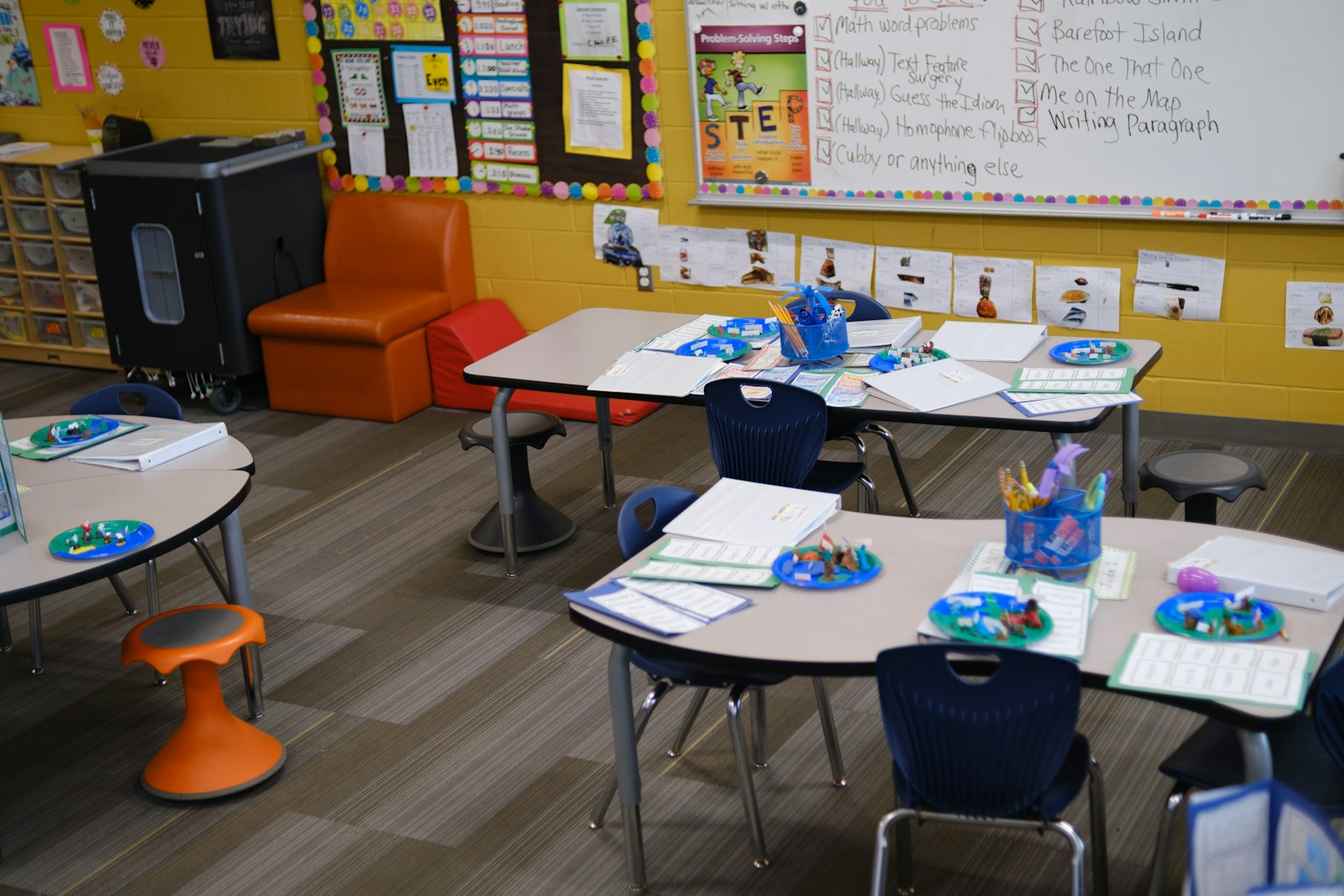
A bright, organised childcare classroom
🟢

Live ratios & room management

See every room's occupancy and staff-to-child ratio in real time, with alerts before you risk going out of ratio.

🗓️

Staff scheduling & waitlists

Build schedules, manage time off, and convert your waitlist into enrolments — without juggling spreadsheets.

💳

Billing & CWELCC on autopilot

Auto-invoicing, subsidy deductions and submission-ready CWELCC reports, generated for you — zero manual entry.

Built for the way licensed centres run

  • ✓ Live operations dashboard: attendance, occupancy, revenue, compliance
  • ✓ QR check-in/out with instant parent notifications
  • ✓ Role-based access for directors, educators & admins
  • ✓ True CAD/USD billing and QuickBooks export
  • ✓ Meal, nap and incident logging tied to each child
  • ✓ Dedicated onboarding specialist for your team
No credit card required · Free migration · Cancel anytime

Run every location from one login

How KiddieTrac helps multi-site childcare agencies

Consolidated billing, cross-site reporting and your own white-label brand — manage your whole network from a single dashboard.

Childcare leaders talking together
🏢

One dashboard, every site

Roll up attendance, occupancy and revenue across all locations — or drill into any single centre in a click.

🧮

Consolidated billing & reporting

Bill, reconcile and report across sites with per-location and network-wide views — and per-currency where you need it.

🏷️

Your brand, your app

Launch a white-label parent app, custom domain and branded reports across every location in as little as 14 days.

Scale your network without scaling the chaos

  • ✓ Centralized roles & permissions across locations
  • ✓ Network-wide CWELCC and subsidy tracking
  • ✓ True CAD + USD dual-currency accounting
  • ✓ A branded experience that grows your agency, not ours
  • ✓ Priority support & onboarding for multi-site rollouts
  • ✓ Free data migration from your current systems
No credit card required · Free migration · Cancel anytime

Powerful Tools for Modern Childcare

Every feature built by childcare professionals, for childcare professionals.

70+ tools, one login

Every one of these is live in the platform today, included on the plan that fits your program.

📋Daily operations

  • QR check-in & kiosk
  • Live attendance
  • Room ratios
  • Daily logs
  • Photos & video
  • Room assignments
  • Closures & holidays
  • Field trips with GPS
  • Bus routes
  • Late pick-ups
  • Vacation holds

👨‍👩‍👧Families

  • Parent app & portal
  • Messenger
  • Announcements
  • SMS broadcasts
  • Voice announcement calls
  • Daily summary emails
  • AI daily recaps
  • Parent feedback & NPS
  • Forms to sign
  • Family documents

💳Billing & payments

  • Automated invoicing
  • Bulk invoice runs
  • Payment schedules
  • CWELCC subsidies
  • Card, EFT & Interac
  • CAD + USD billing
  • Refunds
  • Account ledgers
  • QuickBooks
  • Expenses

👩‍🏫Staff

  • Time clock
  • Timesheets
  • Payroll
  • Staff calendar
  • Time off
  • Substitutes
  • Certifications
  • Background checks
  • Roles & permissions

🎨Learning

  • Lesson plans
  • Curriculum
  • Observations
  • Report cards
  • Awards
  • Conferences

🩺Health & safety

  • Immunizations & reminders
  • Medications
  • Allergy alerts
  • Incident reports
  • Inspection checklists
  • Home visit reports
  • Weekly menus
  • CACFP meals

📈Growth & insights

  • Waitlist
  • Tours
  • Re-enrolment
  • Marketing campaigns
  • Drip campaigns
  • Enrolment forecast
  • AI churn risk
  • AI photo tagging
  • AI document extraction

🛡️Security & admin

  • Two-factor sign-in
  • Security alerts
  • Audit log
  • Nightly backups
  • Data retention
  • e-Signatures
  • Custom forms
  • White-label branding
  • Email from your domain
🍁
🍁 CWELCC Automation

CWELCC & Subsidy Management

Full automation for Ontario's CWELCC program. Auto-calculate subsidies, generate submission reports, track eligibility per child — zero manual entry.

  • ✓Automatic subsidy deduction from parent invoices
  • ✓CWELCC-ready attendance and billing reports
  • ✓Real-time eligibility tracking per child
  • ✓Provincial subsidy integration (Ontario, BC, AB)
💰
💰 Billing

Smart Billing & Invoicing

Auto-generate invoices, accept 6 payment methods, manage subsidy deductions, and support both CAD and USD — the most complete billing in Canadian childcare.

  • ✓Auto-generate weekly, monthly, or custom invoices
  • ✓Accept Visa, Mastercard, Amex, Interac, Google Pay, Apple Pay
  • ✓True CAD and USD dual-currency accounting
  • ✓Export to QuickBooks, Sage, and CSV
✅
✅ Attendance

Digital Attendance & QR Check-In

Replace paper sign-in sheets with QR code scanning. Real-time dashboard, automated alerts, and instant parent notifications on every check-in and check-out.

  • ✓QR code check-in/check-out at the door
  • ✓Real-time attendance dashboard for staff
  • ✓Automated alerts for late pickups and absences
  • ✓Push notifications to parents on every check-in
🏷️
⭐ Exclusive

White Label Platform

The only Canadian childcare platform with white labeling as a first-class feature. Launch under your own brand name, logo, colors, and domain in as little as 14 days.

  • ✓Custom brand name, logo, and colour palette
  • ✓White-label parent mobile app (iOS & Android)
  • ✓Custom domain (e.g. app.youragency.com)
  • ✓Branded email notifications and daily reports
👨‍👩‍👧
👨‍👩‍👧 Parents

Parent Communication Portal

Instant messaging, photo sharing, daily reports, meal tracking, nap logs, and push notifications — everything parents need in one beautiful app.

  • ✓Real-time daily reports with photos and activities
  • ✓Two-way secure messaging with staff
  • ✓Invoice viewing and online payment
  • ✓iOS and Android mobile app

Plans That Grow With You

No hidden fees. No setup costs. Cancel anytime. Free onboarding on every plan.

Monthly
Annual Save 20%
📞 SMS & voice alerts +$25/month
Text broadcasts, sign-in and sign-out texts, and automated phone calls for closures and emergencies. Same price in CAD and USD. Carrier usage is billed by your SMS provider.
Starter
For home daycare providers and small childcare operations ready to go digital.
$49/mo
Billed monthly in CAD
  • ✓Up to 15 children
  • ✓Digital attendance & QR check-in
  • ✓Parent communication portal
  • ✓Basic invoicing (CAD)
  • ✓Email support
  • ✓Free onboarding
Enterprise
For agencies and networks managing multiple locations at scale.
Custom
Contact us for volume pricing
  • ✓Unlimited children
  • ✓Everything in Professional
  • ✓Multi-location management
  • ✓White label included
  • ✓Custom API integrations
  • ✓SLA & dedicated support
  • ✓Custom data export & reporting
  • ✓On-site onboarding available
🔄 Switching platforms? We include free data migration on all plans.

Childcare management software built for Canada

Attendance, billing, families and compliance in one place, in Canadian dollars, with your province’s fee reductions built into every invoice.

An educator drawing with chalk outdoors with a toddler
🍁

Fee reductions on every invoice

Record each child’s fee reduction or subsidy once, whether it is CWELCC in Ontario or your own province’s program, and every invoice shows the full fee, the reduction and what the family pays.

🧾

Billing in CAD, and USD too

Invoices, payment schedules, receipts and year-end childcare expense receipts in Canadian dollars, with USD for programs that also operate in the United States.

💬

Families in their own language

The parent app shows daily reports, photos, messages and invoices, and parents can use it in English, French, Spanish or Hindi.

Everything a Canadian program runs on

  • ✓Check-in and check-out, including parent QR check-in at the door
  • ✓Safe Arrival alerts when a child has not arrived
  • ✓Live room counts against your staff-to-child ratios
  • ✓Daily reports, photos and two-way messages with families
  • ✓Immunization records, incidents and inspection checklists
  • ✓Staff time clock, schedules and payroll documents
  • ✓Observations and report cards linked to your provincial learning framework
  • ✓Split billing for separated parents, each with their own receipts
  • ✓Online forms and e-signatures for enrolment
  • ✓QuickBooks sync for your bookkeeper

Province by province

KiddieTrac is used by licensed centres, home child care agencies and independent providers. The parts that differ between provinces are built in as settings, not workarounds:

Learning frameworks. Link observations and report cards to Ontario’s How Does Learning Happen? and ELECT, the British Columbia Early Learning Framework, Alberta’s Flight, Quebec’s Accueillir la petite enfance, or your own.

Fee reductions and subsidies. Set up your province’s reduced parent fee or a family’s subsidy per child, and invoices deduct it automatically. Ontario programs get CWELCC handled end to end: see CWELCC billing.

Your data. KiddieTrac is hosted in North America with encryption, two-factor sign-in and a full audit log. If your organization needs data stored in Canada, talk to us before you sign up.

Questions we hear

Can any province use KiddieTrac?

Yes. Centres, home child care agencies and independent providers anywhere in Canada use the same platform; provincial differences such as learning frameworks and fee reductions are settings.

Can we move from our current software?

Yes. We import children, families and staff from a spreadsheet or an export from your current system, and migration is free on every plan.

Does it work for home child care agencies?

Yes. Agencies manage their providers, home visitors file their visit reports, and providers run attendance, billing and parent updates from their phone.

Is there a free trial?

Yes, 14 days with no credit card. Book a demo and we will set it up with you.

Free 14-day trial · No credit card required · Free migration

CWELCC billing software for Ontario child care

Apply the fee reduction on every invoice, keep parent fees within Ontario’s $22-a-day cap, and keep the records your reporting is built from.

Children working at tables in a bright classroom
📉

The reduction on every invoice

Mark each child’s CWELCC eligibility once. Every invoice shows the full fee, the CWELCC reduction and what the family pays, so parents can see the saving.

📊

Records for your reporting

Enrolment, attendance and fees by child and by period, ready to export when your service system manager asks for them.

🧾

Receipts parents can use

Families see every invoice and payment in the parent app, and each parent gets a year-end childcare expense receipt, even when the bill is split.

How the $22-a-day cap works

Since January 1, 2025, parent fees for CWELCC-eligible children under six in participating Ontario programs have been capped at $22 a day. A program that was already charging less keeps the lower fee it charged on December 31, 2024.

Try the numbers for your own program with the free CWELCC fee calculator, or read CWELCC explained for Ontario operators.

What KiddieTrac does for CWELCC programs

  • ✓Eligibility per child, with the reduction applied automatically
  • ✓Invoices that show full fee, reduction and parent fee
  • ✓Families under and over six billed correctly side by side
  • ✓Provincial and municipal fee subsidies recorded per child
  • ✓Attendance and enrolment exports for your reporting
  • ✓Split family billing, each parent paying their share
  • ✓Year-end childcare expense receipts for every parent
  • ✓A free printable CWELCC compliance checklist

Questions we hear

What is CWELCC?

The Canada-Wide Early Learning and Child Care system: federal and provincial funding that lowers parent fees for children under six in participating licensed programs.

Does KiddieTrac submit our CWELCC claims?

No. KiddieTrac keeps the enrolment, attendance and fee records your reports are built from and exports them; you submit through your service system manager’s own process.

Do we need a separate system for families not in CWELCC?

No. Children over six and programs or families outside CWELCC are billed in the same place, at their own rates.

Where can I check the rules?

Your service system manager (your municipality or district services board) sets your funding and reporting. Ontario’s own summary is at ontario.ca.

Get the free CWELCC compliance checklist →
Free 14-day trial · No credit card required · Free migration

Daycare software for Ontario centres and home child care agencies

Built around how Ontario child care works: Child Care and Early Years Act ratios, CWELCC fees, How Does Learning Happen? and the records a licensing visit asks for.

A child building with wooden blocks
👩‍🏫

Ratios you can see

Live counts in every room against Ontario’s staff-to-child ratios, so you know before a room goes over. Check a room with the free ratio calculator.

📁

Records ready for licensing

Attendance, immunizations, incidents, staff records and an inspection checklist, kept in one place instead of binders.

🌱

How Does Learning Happen? built in

Link observations and report cards to belonging, well-being, engagement and expression, and see which areas each child has had least of.

For centres, agencies and home providers

  • ✓CWELCC reductions applied on every invoice
  • ✓Parent QR check-in and Safe Arrival alerts
  • ✓Room placement, waitlists and transitions
  • ✓Home visitor reports and Ontario home child care inspection forms
  • ✓Staff time clock, schedules and payroll documents
  • ✓Daily reports, photos and messages for families, in English or French
  • ✓Online enrolment forms with e-signatures
  • ✓Holiday and closure calendars across every location

One platform from one home to many centres

A home child care agency manages its providers and home visitors; a provider runs attendance, billing and parent updates from a phone; a multi-site operator sees every centre from one login. See home daycare software, centre software and multi-site management.

Questions we hear

Does KiddieTrac know Ontario’s ratios?

Yes. Rooms show live counts against the Child Care and Early Years Act ratios for infant, toddler, preschool, kindergarten and school-age groups.

Is it available in French?

Yes. Families can use the parent app in French, and this website is available in French too.

Can a home child care agency use it?

Yes. Agencies, home visitors and providers each have their own view, including home-visit reports and Ontario’s home child care inspection forms.

Where is our data stored?

KiddieTrac is hosted in North America with encryption, two-factor sign-in and a full audit log. If you need data stored in Canada, talk to us before you sign up.

Free 14-day trial · No credit card required · Free migration

Ontario child care ratio calculator

Enter how many children you have in each age group and see how many staff and groups Ontario’s ratios require, for centres and for licensed home child care.

Licensed child care centre

Staff needed for each age group, with children split into the fewest groups the maximum group size allows.

Age groupRatioMax groupChildrenGroupsStaff needed
Infant
under 18 months
3 to 101000
Toddler
18 to 30 months
1 to 51500
Preschool
30 months to 6 years
1 to 82400
Kindergarten
44 months to 7 years
1 to 132600
Primary/junior school age
68 months to 13 years
1 to 153000
Junior school age
9 to 13 years
1 to 202000
Total000

Licensed home child care

At most 6 children under 13, of whom at most 3 are under 2. The provider’s own children under 4 count.

Within the limits.

Where these numbers come from

Ratios, group sizes and home child care limits are from Ontario Regulation 137/15 under the Child Care and Early Years Act, 2014, as summarized at ontario.ca (checked September 30, 2026).

Mixed-age groups, reduced ratios at certain times of day and your licence’s own conditions have rules of their own. This calculator is a planning aid, not a licensing decision: check with your program advisor.

In KiddieTrac, every room shows its live count against these ratios all day. See how it works for Ontario programs.

Free 14-day trial · No credit card required · Free migration

CWELCC fee calculator for Ontario

See what families pay under Ontario’s $22-a-day cap, what they save against your full fee, and your monthly parent-fee revenue.

Parent fee per day
$22.00
Per month, per child
$462.00
Per year, per child
$5,544.00
Family saving per month
–
against your full fee
Parent-fee revenue per month
$462.00
all eligible children
Gap to your full fee per month
–
covered under your CWELCC funding agreement

How this is worked out

Since January 1, 2025, parent fees for CWELCC-eligible children under six in participating Ontario programs have been capped at $22 a day. A program that was already charging less keeps the fee it charged on December 31, 2024. So the parent fee is the lower of your December 31, 2024 fee and the cap.

The gap to your full fee is shown for planning only: your actual funding is set by your service system manager under your CWELCC agreement. If the cap changes, change the cap above.

KiddieTrac applies the reduction on every invoice automatically. See CWELCC billing.

Free 14-day trial · No credit card required · Free migration

CWELCC Explained: What Ontario Childcare Operators Need to Know

The Canada-Wide Early Learning and Child Care system, usually shortened to CWELCC, has changed how many licensed childcare programs in Ontario set fees, collect revenue and report to government. If you run a licensed centre or a licensed home child care agency, you have probably already made decisions about it. This article steps back and explains the system in principle, what operators typically need to keep track of, and where record keeping tends to go wrong.

This is general information, not legal, financial or tax advice. CWELCC rules, funding formulas and reporting requirements are set through federal-provincial agreements and provincial guidelines, and they are updated over time. Always confirm current requirements with the Ministry of Education and your local service system manager (your CMSM or DSSAB).

What CWELCC is

CWELCC is a national initiative in which the federal government funds provinces and territories, through bilateral agreements, to make licensed childcare more affordable and more available. Each province and territory designs its own implementation. In Ontario, licensed operators could choose whether to enrol in the system, and the program is administered locally by the service system managers who already oversee childcare funding in each region.

The headline goal most people know is lower parent fees, with a national target of an average of ten dollars a day. How and when that is reached, and what it looks like for a particular program, depends on provincial policy and local administration.

How reduced parent fees work, in principle

For a participating licensed operator, the basic idea is straightforward: you charge eligible families a reduced fee, and funding from your service manager makes up the difference between that reduced fee and the revenue you would otherwise need. In practice there are several moving parts:

  • Eligible children. Fee reductions apply to children in specific age groups. In Ontario this has generally meant children under six in licensed care, but confirm the exact eligibility rules and how kindergarten-aged children are treated with your service manager.
  • Base fees. Reductions are usually calculated against a reference or base fee for each age group, which may be tied to what you charged on a set date. Knowing your documented base fees matters.
  • Fee caps and allowable changes. There are typically limits on what fees you can charge and on raising them. Check the current rules with your service manager rather than relying on older guidance.
  • Funding flows. Operators receive funding according to the local agreement, then reconcile and report on how it was used.

What operators typically need to track

Whatever the details of your agreement, most reporting comes back to a handful of records. Keeping them current each month is far easier than rebuilding them at year end.

  1. Enrolment by child. Start and end dates, the program or room, and schedule (full-time, part-time, days per week).
  2. Age group for each child, and when it changes. A child aging from toddler to preschool mid-year can change both the base fee and the funding calculation.
  3. Fees charged versus base fees. For each eligible child, what the base fee is, what reduction was applied, and what the family actually paid.
  4. Funding received. Dates, amounts and what period each payment covers.
  5. Other subsidies. Some families also receive fee subsidy. Track it separately so the two are not blended.
  6. Reports submitted. Keep copies of what you sent to your service manager and when.

Common record-keeping pitfalls

Age transitions that are not reflected in billing

If a child moves to an older age group and nobody updates the fee, the invoice, the reduction and the funding claim can all drift out of line. Set a monthly check for upcoming birthdays and room moves.

Mixing reduced fees with extras

Items such as late pickup fees, registration fees or optional programming may be treated differently from the base childcare fee. Record them as separate line items so you can show exactly what was charged for care.

Spreadsheets that disagree with invoices

Many operators keep a CWELCC spreadsheet alongside their billing system. When one is updated and the other is not, reconciliation becomes painful. Wherever possible, report from the same records you bill from.

Missing documentation of your base fees

If your base fees are ever questioned, you will want the original fee schedule and evidence of what was charged. Store it somewhere permanent, not in one person's inbox.

Questions to ask your service manager

  • Which children and age groups are eligible in our program, and how are kindergarten-aged children treated?
  • What base fee applies to each of our age groups, and how was it determined?
  • What are the current rules on fee increases and on charging for extras?
  • How often do we report, in what format, and what supporting records should we keep?
  • How are mid-month enrolments, withdrawals and age transitions handled?
  • How long must we retain records, and what happens in an audit or review?

Write the answers down and date them. Guidance changes, and a dated note of what you were told is useful later.

How KiddieTrac helps

KiddieTrac keeps enrolment, attendance, invoicing and CWELCC subsidy tracking in one place, so the reduced fees on each invoice and the figures you report come from the same records. You can produce reporting from that data rather than rebuilding a separate spreadsheet each month.
See it in KiddieTracBook a short demo or start a free trial — no credit card needed.

Keep reading

💉
Compliance
Sep 28, 2026 · 4 min read
Keeping Immunization Records Up to Date
Immunization records help protect children and support public health during outbreaks. How to collect, track and safeguard them, and what to know about exemptions.
Read more →
📱
Technology
Sep 29, 2026 · 8 min read
The Best Parent Communication Apps for Childcare in 2026
How to choose a parent communication app for a childcare centre or home child care agency: what to look for, how the popular options compare, and when an all-in-one platform makes more sense.
Read more →
🏡
Growth
Sep 28, 2026 · 4 min read
Starting a Home Daycare in Canada: First Steps
Thinking about caring for children in your home? The first steps: understanding your province's rules, insurance, home safety, policies, pricing and record keeping.
Read more →

KiddieTrac Blog

Insights, tips, and best practices for modern childcare professionals.

📱
Technology
Sep 29, 2026 · 8 min read
The Best Parent Communication Apps for Childcare in 2026
How to choose a parent communication app for a childcare centre or home child care agency: what to look for, how the popular options compare, and when an all-in-one platform makes more sense.
Read more →
🏡
Growth
Sep 28, 2026 · 4 min read
Starting a Home Daycare in Canada: First Steps
Thinking about caring for children in your home? The first steps: understanding your province's rules, insurance, home safety, policies, pricing and record keeping.
Read more →
🗓️
Operations
Sep 28, 2026 · 4 min read
Staff Ratios and Scheduling Without the Spreadsheet Headache
Plan coverage around real arrivals and departures, protect breaks, use float staff well, and keep a clear record that every room stayed in ratio.
Read more →
🧸
Child development
Sep 28, 2026 · 4 min read
Play-Based Learning: What It Looks Like Day to Day
Play-based learning is more than free time with toys. Here is how educators plan the space, follow children's interests and share the learning with families.
Read more →
🤝
Families
Sep 28, 2026 · 4 min read
Parent Communication That Builds Trust
What parents want to hear, how often, and through which channels, plus how to handle concerns and hard conversations consistently across your whole team.
Read more →
📋
Operations
Sep 28, 2026 · 4 min read
Managing Your Waitlist Fairly and Transparently
Clear priority rules, regular updates, sensible offer windows and good privacy habits turn a waitlist from a source of stress into a source of trust.
Read more →
💉
Compliance
Sep 28, 2026 · 4 min read
Keeping Immunization Records Up to Date
Immunization records help protect children and support public health during outbreaks. How to collect, track and safeguard them, and what to know about exemptions.
Read more →
🧭
Growth
Sep 28, 2026 · 4 min read
How to Choose Childcare Management Software
A practical, vendor-neutral guide to choosing childcare software: defining your needs, privacy and hosting, billing, parent experience, data export and a trial checklist.
Read more →
🚨
Operations
Sep 28, 2026 · 4 min read
Emergency Preparedness for Childcare Centres: A Practical Checklist
Drills, reliable roll calls, current contact lists and a plan for reaching families quickly. A practical checklist for being ready before you need to be.
Read more →
📝
Child development
Sep 28, 2026 · 4 min read
Documenting Observations Without Losing Your Afternoon
Observations should inform your teaching, not eat your breaks. Practical habits for writing useful notes quickly, linking them to learning goals and building portfolios.
Read more →
📝
Families
Sep 28, 2026 · 4 min read
Daily Reports Families Actually Read
What to include, how to share photos with consent, and how to keep daily reports quick for educators without sliding into copy-paste sameness.
Read more →
💊
Child development
Sep 28, 2026 · 4 min read
Allergy and Medication Safety in Childcare
Clear plans, careful storage and trained staff are the backbone of allergy and medication safety. A practical overview of the systems every childcare program should have.
Read more →
🍁
Compliance
Apr 2, 2025 · 4 min read
CWELCC Explained: What Ontario Childcare Operators Need to Know
A plain-language look at the Canada-Wide Early Learning and Child Care system in Ontario: how reduced fees work, what to track, and what to ask your service manager.
Read more →
💰
Finance
Mar 18, 2025 · 4 min read
Where Childcare Revenue Leaks — and How to Stop It
Small billing and subsidy errors add up quietly. Here are the most common places childcare revenue slips away, plus a monthly reconciliation routine to catch them.
Read more →
✅
Operations
Mar 5, 2025 · 4 min read
QR Check-In vs. Paper Sign-In Sheets: An Honest Comparison
Paper sign-in sheets are simple and familiar. QR check-in adds accuracy and speed. Here is a fair look at the trade-offs, including when paper still has a place.
Read more →
🏷️
Technology
Feb 20, 2025 · 4 min read
White-Label Parent Apps: What They Are and When They Make Sense
A white-label parent app carries your name and colours instead of the software vendor's. Here is what that means, what to prepare, and when it is not worth it.
Read more →
📊
Finance
Feb 7, 2025 · 4 min read
Billing Families in CAD and USD: A Practical Guide for Cross-Border Childcare
If some families want to pay in US dollars and others in Canadian, a clear currency policy saves confusion. Here is how to set one up and keep clean records.
Read more →
🌱
Growth
Jan 22, 2025 · 4 min read
From Home Daycare to Licensed Agency: A Step-by-Step Growth Path
Growing from a home daycare into a centre or agency changes almost everything: licensing, staffing, policies, insurance and systems. Here is what to expect at each stage.
Read more →

Wear the brand. Share the love.

Branded apparel and everyday gear for your team, your families and your events. Pick what you'd like and we'll send you a quote.

Folded white and navy KiddieTrac t-shirts
How ordering works Tap Request a quote on anything you like, tell us quantities, sizes and colours, and our team will reply with pricing and timing. Custom orders for staff uniforms, family welcome kits and events are welcome.
Events

Event booth designs

From a single table to a full stand, KiddieTrac shows up the same way everywhere. These are our booth formats, shown in real event venues.

KiddieTrac island stand booth design
Island standBranded walls and a feature panel for the big shows.
KiddieTrac pop-up display booth design
Pop-up displayA freestanding fabric sign that sets up in minutes.
KiddieTrac tabletop booth design
TabletopA fitted table cloth for conferences and community events.

Loved by Childcare Professionals

Including professionals who switched platforms and never looked back.

An adult and a child reading a book together
★★★★★
"The CWELCC automation alone saves me 4 hours every month. My subsidy calculations used to take an entire afternoon. Now it's done automatically before I even open my laptop."
SM
Sandra M.
Owner, Sunshine Home Daycare · Barrie ON
★★★★★
"Managing three centres used to mean three spreadsheets. KiddieTrac unified everything — billing, attendance, parent communication — into one dashboard."
TL
Theresa L.
Operations Manager, Bloom Child Care · Toronto ON
★★★★★
"We launched 'Rainbow Steps App' to all our families. They think it's our own technology. The white label feature is genuinely unique — no other platform offers this."
RK
Rajan K.
Director, Rainbow Steps · Brampton ON
★★★★★
"The parent portal changed how our families experience childcare. They love the daily photos and real-time updates. Our enrolment waitlist doubled after we launched it."
MO
Michelle O.
Owner, Little Explorers · Hamilton ON
★★★★★
"We switched to KiddieTrac because our previous software had no CAD billing. KiddieTrac handles our CWELCC deductions, our USD families, and our reconciliation perfectly."
DA
David A.
Operator, Northwood Family · Ottawa ON
★★★★★
"The onboarding was exceptional. Our dedicated specialist had us fully running within a week. The support team actually understands Canadian childcare regulations."
PG
Priya G.
Director, Petal & Bloom · Mississauga ON

Ready to Join 150+ Happy Agencies?

Free trial. Free migration. Free onboarding. No credit card.

Smart Childcare, Worldwide

Starting in Mono, Ontario and expanding globally — adapting to local regulations everywhere.

Canada
Canada
Full CWELCC integration, CAD billing, provincial subsidy programs. Serving 150+ agencies across Ontario, BC, Alberta, and Quebec.
✓ Live — Primary Market
United States
United States
USD billing, state subsidy program integrations, CCAP compliance. Serving cross-border agencies and US home daycares.
✓ Live — Growing
United Kingdom
United Kingdom
OFSTED compliance, GBP billing, Early Years Foundation Stage support. Pilot agencies onboarding 2025.
⏳ Expanding 2025
Australia
Australia
NQF and ACECQA compliance, AUD billing, Childcare Subsidy (CCS) integration. Launching Q3 2025.
⏳ Launching Q3 2025

🌐 KiddieTrac in Your Region

KiddieTrac adapts to local regulations, currencies, and compliance frameworks. Contact us to discuss your region.

Stay Connected to Your Child's Day

Real-time updates, daily reports, photos, messages, and invoices — from your phone or browser.

A parent holding their baby
iPhone & iPadAndroid

Works on iPhone, iPad and Android phones and tablets — in the browser, or added to your home screen like an app.

Everything in One Place

📅
Daily Reports
Detailed reports including meals, naps, activities, mood, and photos every day.
📸
Photo Sharing
Staff share moments securely. No social media exposure.
💬
Direct Messaging
Two-way messaging with your childcare provider, tracked and compliant.
💰
Invoices & Payments
View invoices, pay online, and download receipts — all in the app.
✅
Attendance Notifications
Instant push notification when your child checks in or out.

Born in Toronto, Built for North America

An educator talking with a child

The Origin Story

KiddieTrac didn't start in a Silicon Valley boardroom. It started from the real frustration of running a childcare agency in Toronto, Ontario — drowning in spreadsheets, manual CWELCC submissions, and billing errors.

We built the software we wished existed. Today, KiddieTrac is used by 150+ agencies across North America — and we're just getting started.

📍 Head Office
246372 Hockley Road
Mono, Ontario L9W 6K4

Contact us

Our Journey

2019
Founded in Toronto. Built the first prototype solving CWELCC billing for a 12-child home daycare.
2020
Launched beta with 8 agencies across Ontario. QR check-in introduced.
2021
Official launch. 40 agencies onboarded. White label feature launched.
2022
Expanded to British Columbia and Alberta. USD billing introduced for cross-border agencies.
2023
150+ agencies. Parent portal app launched on iOS and Android. CWELCC automation expanded.
2024
US expansion. UK and Australia pilots launched. Enterprise tier introduced.
2025+
North America's #1 smart childcare platform. Expanding globally.

Our Values

🎯
Purpose-Built
Every feature exists to solve a real problem for real childcare providers — not to pad a feature list.
🤝
Human First
Real support from real people who understand Canadian childcare regulations and operations.
🔒
Privacy & Trust
PIPEDA compliant. Data hosted in North America. We never sell your data. Children's privacy is sacred.
🚀
Always Improving
Monthly product updates driven by direct customer feedback. You shape our roadmap.

Your Brand. Our Engine.

The only North American childcare platform with white labeling as a first-class feature. Launch under your name in 14 days.

A bright, colourful childcare centre room
🎯 White Label Demo
🔒app.maplegrovechild.ca

This is what your families would see — your domain, your brand, powered by KiddieTrac.

Launch Your Brand in 14 Days

01
Brand Setup
Share your logo, colors, and brand name. We configure your fully branded platform.
02
Domain Configuration
Set up your custom domain (app.youragency.ca) with SSL in minutes.
03
Parent App Branding
Your logo and colors on iOS and Android. Published under your agency name.
04
Go Live
Invite your families. They see your brand, powered invisibly by KiddieTrac.

Ready to Launch Your Branded Platform?

White label is available on all plans from +$29/mo

KiddieTrac vs The Competition

A transparent, feature-by-feature look at KiddieTrac next to generic childcare platforms — and the spreadsheets-and-paper status quo many agencies are still stuck with.

Hands building with colourful wooden blocks
Feature✦ KiddieTracOther PlatformsSpreadsheets & Paper
CWELCC Automation✓ Full native automationManual workaroundsManual & error-prone
CAD Billing✓ Native CADPrimarily USDManual calculation
White Label✓ Available all plansNot available—
CAD + USD Dual Currency✓ Full supportLimitedManual
Parent Mobile App✓ iOS + AndroidBasic web onlyNone
QR Check-In✓ IncludedAdd-on / limitedPaper sign-in
Subsidy Report Generation✓ Automated, one-clickManual exportHours every month
Dedicated Onboarding✓ Every planPremium onlyYou're on your own
Data Hosted in North America✓ North AmericaVaries by vendorLocal / unsecured files
Multi-Location Management✓ All tiersEnterprise onlySeparate file per site
Free Data Migration✓ Yes, alwaysPaid serviceCopy & paste
Real Cost✓ From $49 CAD/moFrom $99+ USD/mo"Free" — but 10+ hrs/week
Transparency Note: This comparison is based on publicly available information and verified user reviews on G2, Software Advice, and Capterra. Competing platforms are legitimate products with their own strengths. We encourage you to try both and make your own assessment.

Free Migration From Any Platform

We'll migrate your data for free. Our team will have you running on KiddieTrac within a week.

Privacy Policy

Last updated: March 2025 · PIPEDA Compliant

1. Information We Collect

We collect information you provide directly (name, email, agency name, billing information), information generated through use of our platform (attendance records, billing data, communication logs), and technical information (IP address, browser type, device information) for security and analytics purposes.

2. How We Use Your Information

We use your information to provide and improve KiddieTrac services, process payments, send service notifications, comply with legal obligations under PIPEDA and provincial privacy laws, and generate anonymized analytics to improve our platform.

3. Data Storage & Location

All data is stored on servers located in Canada and the United States. We use enterprise-grade encryption (AES-256) at rest and in transit. We do not store data in jurisdictions outside North America.

4. PIPEDA Compliance

KiddieTrac is fully compliant with the Personal Information Protection and Electronic Documents Act (PIPEDA). You have the right to access, correct, and request deletion of your personal information at any time by contacting us through our contact form.

5. Children's Privacy

We take the privacy of children in our care data extremely seriously. Child profiles and activity data are accessible only to authorized parents and approved staff. We never share children's data with third parties for marketing purposes.

6. Data Retention

We retain your data for the duration of your subscription plus 2 years, after which it is securely deleted. You may request deletion at any time. Backups are purged within 90 days of deletion requests.

7. Third-Party Services

We use carefully vetted third-party services including Stripe (payment processing), SendGrid (email), AWS Canada (infrastructure), and Google Analytics (anonymized usage). All third parties are contractually bound to our privacy standards.

8. Cookies & Analytics

This website uses strictly necessary storage to work: remembering your cookie choice, your language and form security. With your permission it also uses analytics cookies (Google Analytics 4, with IP anonymisation) to understand which pages are useful. Analytics only runs after you choose “Accept all” or switch it on, and turning it off deletes those cookies. We do not use advertising, retargeting or cross-site tracking cookies. You can change your choice at any time: Cookie settings.

9. Contact Us

For privacy inquiries: Contact us
KiddieTrac LLC · 246372 Hockley Road, Mono, ON L9W 6K4

Terms of Use

Last updated: June 2026 · Governed by the laws of Ontario, Canada

These Terms of Use ("Terms") govern your access to and use of the KiddieTrac website, applications, and services (collectively, the "Service") operated by KiddieTrac LLC ("KiddieTrac", "we", "us"). By creating an account, subscribing to updates, or otherwise using the Service, you agree to these Terms. If you do not agree, please do not use the Service.

1. Acceptance of Terms

By accessing or using the Service you confirm that you are at least the age of majority in your province or territory and have the authority to enter into these Terms on behalf of yourself or the organization you represent.

2. The Service

KiddieTrac provides childcare-management software including billing, attendance, CWELCC and subsidy tracking, parent communication, and related tools. We may add, change, or remove features over time to improve the Service.

3. Accounts & Eligibility

You are responsible for safeguarding your account credentials and for all activity under your account. Notify us immediately of any unauthorized use. You must provide accurate information and keep it current. We may suspend accounts that violate these Terms or applicable law.

4. Acceptable Use

You agree not to misuse the Service, including by: attempting to gain unauthorized access; uploading malicious code; interfering with the Service's operation; using it to violate any law or the privacy rights of children, families, or staff; or reselling the Service without our written consent. You are responsible for ensuring your use complies with all applicable childcare, privacy, and employment regulations.

5. Fees, Billing & Subscriptions

Paid plans are billed in advance on a recurring basis. Fees are stated at sign-up and may change with at least 30 days' notice. You authorize us and our payment processor (Stripe) to charge your payment method. Except where required by law, fees are non-refundable. You may cancel at any time; your subscription remains active until the end of the current billing period.

6. Your Data & Privacy

You retain ownership of the data you submit to the Service. You grant us a limited licence to host and process it solely to provide and improve the Service. Our handling of personal information is described in our Privacy Policy, which forms part of these Terms. KiddieTrac is committed to PIPEDA and applicable provincial privacy law.

7. Email & Communications

By subscribing or creating an account you consent to receive service and marketing emails from KiddieTrac, consistent with Canada's Anti-Spam Legislation (CASL). Every marketing email includes a one-click unsubscribe link, and you may opt out at any time without affecting essential service notifications.

8. Intellectual Property

The Service, including its software, design, and trademarks, is owned by KiddieTrac and protected by intellectual-property laws. These Terms grant you a limited, non-exclusive, non-transferable right to use the Service; no other rights are granted.

9. Third-Party Services

The Service integrates with third parties such as Stripe (payments), email delivery providers, and cloud infrastructure. Your use of those services may be subject to their own terms. We are not responsible for third-party services we do not control.

10. Disclaimers & Limitation of Liability

The Service is provided "as is" without warranties of any kind to the extent permitted by law. We do not warrant that the Service will be uninterrupted or error-free. To the maximum extent permitted by law, KiddieTrac's total liability arising from the Service is limited to the amount you paid us in the 12 months preceding the claim. Nothing in these Terms limits liability that cannot be limited under applicable law.

11. Termination

You may stop using the Service at any time. We may suspend or terminate access if you breach these Terms or to protect the Service or other users. Upon termination, your right to use the Service ends; data export and retention are handled per our Privacy Policy.

12. Governing Law

These Terms are governed by the laws of the Province of Ontario and the federal laws of Canada applicable therein, without regard to conflict-of-laws principles. The courts located in Ontario have exclusive jurisdiction over any dispute.

13. Changes to These Terms

We may update these Terms from time to time. Material changes will be posted on this page with an updated date and, where appropriate, communicated by email. Your continued use after changes take effect constitutes acceptance.

14. Contact Us

Questions about these Terms? Contact us
KiddieTrac LLC · 246372 Hockley Road, Mono, ON L9W 6K4

Careers at KiddieTrac

Help us build the future of childcare management. Headquartered in Mono, Ontario. Fully remote roles available.

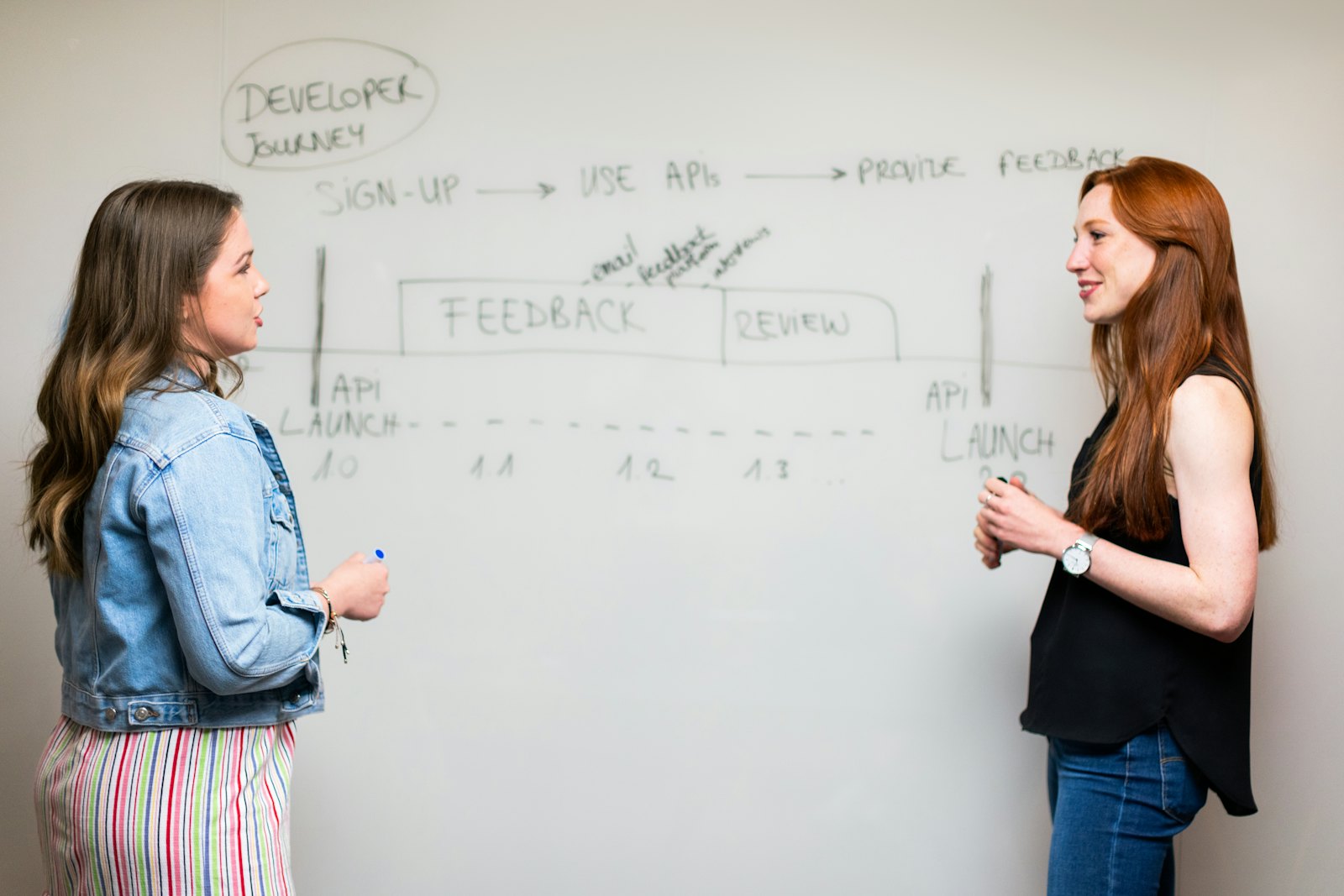
Two colleagues planning at a whiteboard
Full-Stack Developer (React/Python)
Remote — Canada
EngineeringFull-Time

Build and maintain KiddieTrac's web platform. Proficiency in React, Python/Flask, SQLite/PostgreSQL. Experience with SaaS products preferred.

iOS & Android Developer
Remote — North America
EngineeringFull-Time

Own our parent-facing mobile apps. React Native experience required. Experience with childcare or healthcare apps a strong asset.

Customer Success Manager
Remote — Ontario preferred
BusinessFull-Time

Onboard new childcare agencies, provide ongoing support, and drive retention. Background in childcare administration is a significant advantage.

CWELCC Compliance Specialist
Remote — Ontario
OperationsPart-Time

Support product team with CWELCC and provincial subsidy program expertise. Must have current experience in Ontario childcare regulation.

Don't see your role? Contact us

Want to Become a Home Child Care Provider?

iLearn guides you through the entire Ontario licensing process — and KiddieTrac makes managing your new business effortless.

A home childcare provider drawing with chalk outside with a child

iLearn Home Child Care Agency

iLearnHCC.com is our partner agency specializing in helping aspiring home childcare providers navigate Ontario's licensing process, CWELCC enrollment, and regulatory compliance.

Visit iLearnHCC.com →
1
Ontario Licensing Guidance
iLearn walks you through every step of becoming a licensed home daycare provider in Ontario.
2
CWELCC Enrollment
Get your CWELCC funding application completed correctly — including subsidy calculations and eligibility requirements.
3
Training & Certification
Access required First Aid, RECE, and Ontario Early Years training through iLearn's partner network.
4
KiddieTrac Onboarding
Once licensed, set up KiddieTrac for free. Automated billing, parent communication, and compliance from day one.

Let's Talk Childcare

Book a demo, ask about white label, or start your free trial. We reply within one business day.

A smiling childcare director working at a laptop
📞 Sales & support 1-855-400-9996Mon–Fri, 9 a.m.–5 p.m. ET · toll-free in Canada and the US. After hours, leave a voicemail.🛟 Existing customer? Get support →

Send Us a Message

📍 Head Office

246372 Hockley Road
Mono, Ontario L9W 6K4

Hours: Mon–Fri, 9 a.m.–5 p.m. ET
Sales: sales@kiddietrac.com
Support: info@kiddietrac.com
📄Download our brochureA two-page overview to share with your team (PDF)

Your families' data, protected

Enterprise-grade security, built PIPEDA-first for Canadian childcare.

Hands typing on a laptop at a tidy desk
🔒

PIPEDA compliant

Privacy by design, aligned to Canadian law.

🍁

Hosted in North America

Your data never leaves the continent.

🛡️

Encrypted end-to-end

TLS in transit, encrypted at rest.

💾

Twice-daily backups

Automatic, with point-in-time recovery.

🔑

2FA & role-based access

MFA and granular permissions built in.

📋

Audit trails

Every sensitive action is logged and traceable.

Security at every layer

All data is encrypted in transit using TLS 1.2+ and encrypted at rest. Sensitive fields, such as two-factor secrets, are additionally encrypted at the application layer.

Your data is hosted in North American data centres and never leaves the continent. If your organization requires data stored in Canada, please talk to us before you sign up.

Automated backups run twice daily with point-in-time recovery, so your records stay safe even in the rare event of an incident.

Two-factor authentication and granular, role-based permissions ensure staff only see what they need. Platform admins, agency admins, directors, educators and guardians each have scoped access.

Your data is always yours. Export to PDF, CSV or Excel anytime, and request deletion in line with our documented data-retention policy.

We monitor the platform around the clock and follow a documented incident-response process, including timely notification where required by law.

Please tell us. Our vulnerability reporting policy explains how to report it, what's in scope, and how we work with researchers.

Questions about security?

Our team is happy to walk through our practices or complete your vendor security assessment.

Vulnerability Reporting

Help us keep children's and families' information safe. If you've found a security issue in KiddieTrac, we want to hear from you.

Wooden alphabet blocks

Security at KiddieTrac

KiddieTrac holds some of the most sensitive information there is: children's records, family contacts, health notes and billing. Protecting it is part of how we build every feature:

  • Encrypted connections (TLS) for the website, the portal and the apps.
  • Two-factor sign-in and passkeys, with role-based access so each person sees only what their role allows.
  • Each agency's data kept separate from every other agency's, with automated checks that look for data crossing between them.
  • An audit log of sensitive actions, and security alerts on suspicious sign-in activity.
  • Automated nightly backups, stored away from the website and checked that they ran.
  • Card payments handled by our payment processors, so KiddieTrac never stores full card numbers.

Shared responsibility

We secure the platform and its code. Agencies and families keep their own accounts safe: use a strong, unique password or a passkey, turn on two-factor sign-in, never share a login, and remove access for staff who leave.

How to report a vulnerability

Email info@kiddietrac.com with the subject line Security report. Please include:

  • What the issue is, and where: the page, screen, URL or API endpoint.
  • Step-by-step instructions to reproduce it, in the body of the email (text, or PNG/JPG screenshots). Please don't send other attachments.
  • What an attacker could do with it, as you understand it.
  • How to reach you, and the name or handle you'd like to be credited with.

If you came across anyone else's personal information, please don't include it in your report. Describe it instead, and delete anything you saved.

What happens next

  • We aim to acknowledge your report within 3 business days.
  • We'll confirm whether we can reproduce it, and keep you updated while we work on a fix.
  • We prioritise by severity and by the risk to families' information. Anything that could expose one agency's or family's data to someone else comes first.
  • We'll tell you when it's fixed and, if you'd like, credit you.

In scope

www.kiddietrac.com, app.kiddietrac.com, api.kiddietrac.com, and the KiddieTrac mobile apps. We're especially interested in:

  • Access to another agency's, family's or person's data (broken access control, IDOR, tenant isolation).
  • Authentication and session flaws: sign-in, password reset, two-factor, passkeys.
  • Cross-site scripting (XSS) and cross-site request forgery (CSRF).
  • SQL injection, server-side request forgery (SSRF), template injection and remote code execution.
  • Exposure of sensitive data, and TLS or HTTPS misconfiguration.

Out of scope

  • Social engineering or phishing of our staff, agencies or families.
  • Physical attacks, and attacks that need access to someone's unlocked device.
  • Denial of service, load or volume testing, and anything that degrades the service for others.
  • Spam or rate-limit findings without a security impact, and self-XSS.
  • Missing best-practice headers or settings with no demonstrated way to exploit them.
  • Issues that need the victim to install unusual software or use an unsupported browser.
  • Bugs in third-party services we use (for example payment, messaging or email providers). Please report those to the provider.
  • Visual and usability bugs. Please tell us through the contact page instead.

Testing in good faith

  • Use only accounts you own or that we've given you for testing. Never another person's account.
  • If you reach someone else's information, stop there, don't view, change or keep more than you need to show the problem, and report it straight away.
  • Don't run automated scanners at a volume that affects the service, and don't send messages, texts or calls to real families.
  • Give us a reasonable time to fix the issue before you share it with anyone else.

If you act in good faith and follow this policy, we'll treat your research as authorised, work with you to understand and fix the issue, and won't pursue legal action against you for it.

Recognition

We're grateful to everyone who helps keep KiddieTrac safe. With your permission, we'll thank you by name or handle once the issue is fixed. We don't offer monetary rewards.

🔒 Questions about our security practices, or a vendor security assessment? See Security & Trust or contact our team.

Accessibility Policy

Childcare runs on everyone being able to take part — families, educators and our own team. We're committed to removing barriers wherever we find them.

A child's hands playing with building pieces

Last updated: September 29, 2026

Our commitment

KiddieTrac is committed to treating everyone with dignity and independence, and to giving people with disabilities the same opportunity to use our products and services, and to work with us, as everyone else. We meet our obligations under the Accessibility for Ontarians with Disabilities Act, 2005 (AODA), its Integrated Accessibility Standards, and the Ontario Human Rights Code, and we work to identify, remove and prevent barriers.

Accessible by design: our website, portal and apps

We design KiddieTrac to work for as many people as possible and use the Web Content Accessibility Guidelines (WCAG) 2.1, Level AA as our standard for the website, the portal and the mobile apps. We are reviewing our screens against it and fixing what we find. Today:

  • The portal is available in English, French, Spanish and Hindi, and our website in English, French and Spanish.
  • Families can choose how they hear from their centre — in the app, by email, by text, or by an automated phone call for urgent notices — so important information doesn't depend on one way of reading it.
  • The portal works in a web browser, on phones and tablets, and in our mobile apps, so people can use the device and assistive tools they already rely on.
  • Parts of the portal respect your device's "reduce motion" setting.

If any part of KiddieTrac is hard to use with your assistive technology, please tell us. We'll help you get the information or complete the task another way while we fix it.

Customer service

  • Assistive devices: people may use their own assistive devices to access our services.
  • Support persons: a person with a disability may be accompanied by a support person in any meeting, training or demonstration.
  • Service animals: service animals are welcome anywhere we meet with customers in person.
  • Communication: we communicate in a way that takes a person's disability into account — for example by email instead of phone, with more time, or in plain language.
  • Service disruptions: if a planned or unplanned disruption affects the service, we post notice in the portal and by email, with the reason, how long it's expected to last, and any alternatives.

Information and communications

On request, we provide our public information — including this policy, our guides and emergency or safety information — in an accessible format or with communication supports, in a timely manner and at no extra cost. We'll work with you to find a suitable format. If something truly can't be converted, we'll explain why and give you a summary.

Employment

  • We tell applicants that accommodations are available throughout recruitment, from applying to interviews and assessments, and to new hires as part of onboarding.
  • We work with employees who have disabilities on individual accommodation plans, and with those who need it on individualized workplace emergency response information.
  • We take accessibility needs into account in performance management, career development and return-to-work.
  • Workplace information is available in accessible formats on request.

Training

Everyone who works for or on behalf of KiddieTrac receives training on the AODA's Integrated Accessibility Standards and the Ontario Human Rights Code as it relates to people with disabilities — including how to communicate with people with different disabilities and how to help someone using an assistive device, a service animal or a support person. New team members are trained as part of onboarding, and training is refreshed when our policies change.

Feedback

We welcome feedback about how we provide accessible products and services. Email info@kiddietrac.com with the subject Accessibility, or use our contact form. Feedback can also be given in another format on request. We aim to acknowledge feedback within 5 business days and to tell you what we'll do about it.

Changes to this policy

We review this policy regularly and whenever our products or obligations change. Any policy that doesn't respect and promote the dignity and independence of people with disabilities will be modified or removed.

Diversity, Equity & Inclusion Policy

Every child deserves to be seen, and every family to feel welcome. We hold ourselves, and what we build, to the same standard.

A wall of children's rainbow paintings

Last updated: September 29, 2026

Why it matters to us

KiddieTrac serves childcare providers and the families who trust them — families of every background, culture, language, faith, ability and shape. We believe a diverse team builds better software for them, and that an equitable, inclusive workplace is simply the right way to work.

Scope

This policy applies to everyone who works for or with KiddieTrac — employees, contractors and applicants — and to how we treat our customers, partners and the families who use our products.

Equal opportunity and non-discrimination

We do not discriminate on any ground protected by the Ontario Human Rights Code or other applicable law, including race, ancestry, place of origin, colour, ethnic origin, citizenship, creed, sex (including pregnancy), sexual orientation, gender identity, gender expression, age, marital or family status, and disability. Hiring, pay, promotion, training and every other employment decision is based on the requirements of the job and a person's qualifications, skills and contribution.

Inclusive hiring

  • Job postings describe what the role truly requires and invite applicants to request accommodations.
  • Candidates for a role are assessed against the same criteria, by more than one person where possible.
  • We look beyond our immediate networks when we recruit, so that more people hear about our opportunities.

A respectful, inclusive workplace

  • We don't tolerate harassment, discrimination or bullying of any kind, and we act on every concern raised.
  • We provide accommodation to the point of undue hardship, including for disability, religious observance and family status (see our Accessibility Policy).
  • We respect the names and pronouns people use, and we build flexibility into how and when work gets done where the role allows.
  • Everyone is expected to contribute to an environment where people can speak up, disagree respectfully and do their best work.

Inclusive by design: our product

  • The portal is available in several languages — English, French, Spanish and Hindi — so families and educators can use it in the language they're most comfortable with.
  • Children's records include pronouns and preferred names, and cultural and dietary notes, so educators can care for each child as the family asks.
  • Families are made of guardians of every kind: our records let a family name each guardian and their relationship to the child, rather than assuming two parents.
  • Families choose how they hear from their centre — app, email, text or phone — so information reaches everyone.
  • We consider the needs of diverse families and educators when we design new features, and we welcome feedback when we get something wrong.

Raising a concern

Anyone who experiences or sees behaviour that goes against this policy is encouraged to raise it with their manager or by emailing info@kiddietrac.com. Concerns are handled promptly, fairly and as confidentially as possible. We do not tolerate retaliation against anyone who raises a concern in good faith.

Accountability

KiddieTrac's leadership is responsible for this policy. We review it at least once a year, alongside our hiring and workplace practices, and update it as we learn.

🤝 Questions about this policy? Contact our team.

KiddieTrac Webinars

Short, practical sessions for childcare owners, directors and educators — real questions, real screens, and time to ask your own.

🌱

Our first webinars are on the way

We're putting the finishing touches on our first live sessions, and we'd love for you to be there. Each one will be around 30 minutes, built around the questions childcare teams ask us every day, with plenty of time at the end for yours.

There's nothing on the calendar just yet. Leave your email below and we'll send you an invitation as soon as dates are set — no spam, just a friendly heads-up before each session.

See you there soon, from all of us at KiddieTrac 💚

Topics we're preparing

Have a topic you'd like us to cover? Tell us when you sign up.

📋

CWELCC without the stress

Keeping enrolment periods, rates and month-end reports tidy, so reporting day is just another day.

💵

Getting paid on time

Invoices, subsidies, autopay and the small habits that keep your fees coming in.

🛡️

Safe Arrival, step by step

How to know within minutes when a scheduled child hasn't arrived, and what happens next.

👨‍👩‍👧

Families who feel included

Daily updates, photos and messages that parents actually read, in the language they prefer.

📚

Plan a week in minutes

Using lesson plan templates as a starting point and making each week your own.

🚀

Your first 30 days

A guided tour for new teams: what to set up first, and what can wait.

Get an invitation

We'll email you when the first session is scheduled.

We'll only use your email to tell you about KiddieTrac webinars and news. Unsubscribe anytime. Privacy Policy

Past webinars

🎬 Recordings of every session will live here, so you can catch up whenever it suits you.
In the meantime, our blog has practical guides on CWELCC, billing, families and more.

Staying safe online, together

Families trust childcare with the people they love most, and with a lot of personal information. Here's how KiddieTrac helps keep it safe, and simple steps everyone can take.

Why it matters

A childcare account holds names, photos, addresses, health notes and payment details. That makes it worth protecting carefully. Most online harm doesn't come from sophisticated attacks: it comes from a reused password, a convincing fake email, or a photo shared further than intended. A few good habits go a long way.

How KiddieTrac protects your information

🔐 Secure sign-in

  • Two-factor authentication, and passkeys that sign you in with your face, fingerprint or device PIN.
  • New accounts start with a one-time temporary password that must be changed at first sign-in.
  • All traffic between your device and KiddieTrac is encrypted.

👥 The right people, and only them

  • Everyone sees only what their role needs: guardians see their own family, educators their own rooms.
  • Each agency's records are kept separate from every other agency's.
  • Sensitive actions are recorded in an audit log.

📸 Your photos stay yours

  • Photos and videos are shared with families inside the app, not on public pages or social media.
  • Your information is used to run your childcare service, as our Privacy Policy explains, and our site uses no advertising or tracking cookies.

🛡️ Behind the scenes

  • Regular backups, security monitoring and a documented incident process.
  • Read the details on our Security & Trust page.
KiddieTrac will never ask for your password — not by email, text message or phone call, and not even when you contact our support team. If anyone asks, it isn't us. Please don't share it, and let us know.

Tips for parents and guardians

  • Use a strong, unique password. At least 12 characters, not used on any other site. A passphrase of a few unrelated words is easy to remember and hard to guess. Better still, turn on a passkey or two-factor sign-in.
  • Check before you click. KiddieTrac emails come from kiddietrac.com or from your own childcare provider. If a message feels urgent, unusual or asks you to pay somewhere new, open the app directly instead of using the link.
  • Share photos thoughtfully. Photos from your centre often include other children. Please keep them private, and ask before posting anything that shows someone else's child.
  • Keep your details current. Up-to-date phone numbers, emergency contacts and pickup permissions help your centre reach the right people quickly.
  • Sign out on shared devices, and keep your phone's software up to date.

Tips for educators and directors

  • Never share a login. Every team member should have their own account, so access matches their role and the record shows who did what.
  • Use the app for family photos and messages rather than personal phones, texts or social media.
  • Lock your device when you step away, and remove access promptly when someone leaves your team.
  • Be wary of unexpected requests to change a family's payment details or contact information; confirm them in person or by a known phone number.

Talking with children about the internet

Online safety starts early. Keep screens in shared spaces, explore together, and let children know they can always tell a trusted adult if something online makes them feel worried or uncomfortable — and that they won't be in trouble for telling.

Seen something suspicious?

If you receive a message that claims to be from KiddieTrac but doesn't feel right, or you think someone else has accessed your account, contact us right away at info@kiddietrac.com or 1-855-400-9996, and change your password. For concerns about your child's own records, you can also speak with your childcare provider.

🔎 Found a security weakness in KiddieTrac? Please see our Vulnerability Reporting policy.

How can we help?

For KiddieTrac customers. Tell us what’s happening and a real person will reply by email within one business day.

Open a support ticket

📞 Call us

1-855-400-9996
Mon–Fri, 9 a.m.–5 p.m. ET. After hours, leave a voicemail and we’ll call you back.

✉️ Email

info@kiddietrac.com

📘 Guides

Signed in to KiddieTrac? Open Help in the portal for step-by-step guides with “Show me” buttons.

🚨 Urgent?

If KiddieTrac is down for your whole agency, call us, and choose Urgent on the form.

Looking for a demo or pricing? Talk to sales.

Product updates & releases

We ship improvements every week. Here's what's landed recently.

September 2026 NEW

💳 Card payments with Helcim

A third payment provider alongside Zūm Rails and Stripe. Cards are collected inside Helcim's own secure checkout, so card numbers never reach KiddieTrac, and each payment is confirmed server-side before it counts against an invoice.

September 2026 NEW

📞 Voice announcement calls & Telnyx SMS

Broadcast an urgent announcement as an automated phone call, not just a text. SMS can now run on Telnyx as well as Twilio, with automatic failover if a carrier is unavailable.

September 2026 NEW

✅ Text-alert consent records

Every opt-in and opt-out is confirmed to the family by email and text and filed in their documents. A STOP reply now applies to every account tied to that phone number.

September 2026 NEW

🗓️ Payment schedules & service fees

Instalment plans issue each invoice a set number of days before it is due. Agencies can optionally apply card and EFT service-fee percentages at the moment of payment.

September 2026 NEW

🛡️ Verified nightly backups

Every night the platform is backed up and verified, with 14 days retained and a schedule platform admins can adjust.

August 2026 NEW

✉️ Email from your own domain

Invoices, reports and notices can go out from your agency's own Microsoft 365 or Google Workspace mailbox instead of a KiddieTrac address.

August 2026 NEW

🔐 Two-factor sign-in & security alerts

Two-factor authentication for staff accounts, and real-time alerts when something suspicious happens, such as repeated failed sign-ins.

July 2026 NEW

🏡 Home Visitor role

A dedicated role for home-visiting practitioners. Home visitors are added to your agency and log structured home-visit reports — visit type, who was present, summary, strengths, concerns, next steps and a follow-up date — for any centre in the agency, chosen from a simple dropdown. They get the same guided account onboarding as your other team members, and directors and agency admins can review every report in one place. Ideal for early-years home-visiting, family-support and outreach programs.

June 2026 NEW

🤖 AI Daily Recaps

Parent-ready daily summaries generated automatically from the day's activities, meals and notes — saving educators time and delighting families.

June 2026

📒 Per-agency QuickBooks sync

Connect your own Intuit QuickBooks credentials and sync invoices and payments straight to your books.

May 2026

💱 Multi-currency billing

True CAD and USD dual-currency accounting, with per-currency subsidy and tax handling.

May 2026

💬 Chat read receipts

See when parents and staff have read messages, with a faster, clearer messaging experience.

May 2026

📅 Tour bookings

Let prospective families book a centre tour online, with automatic confirmations and reminders.

Apr 2026

🖥️ Kiosk check-in mode

A dedicated, PIN-secured kiosk screen for fast QR sign-in and sign-out right at the door.

Apr 2026

🔑 Two-factor authentication

Optional TOTP-based 2FA with recovery codes for stronger account protection.

Mar 2026

👨‍👩‍👧 Sibling discounts & custom roles

Configurable sibling-discount tiers, plus a custom roles & permissions matrix for your team.

✨
Maya · virtual assistantKiddieTrac
Maya
👋 Hi, I'm Maya, KiddieTrac's virtual assistant.
Ask me anything — pricing, CWELCC, moving off another system. Rather talk to a person? Tap Talk to a person once we start and I'll get the team.